Scrieb
Whisper, on your computer

The Mac and Windows app that transcribes it all. Without the cloud.

Drop in a recording or record a meeting. Get a transcript with who said what, a summary and a DOCX or PDF, in minutes. Summaries and chat run on your computer too; there is no cloud option, not even a switch.

Download for MacDownload for Windows
Free to try, no card
Speaker labels · DOCX, PDF, TXT export
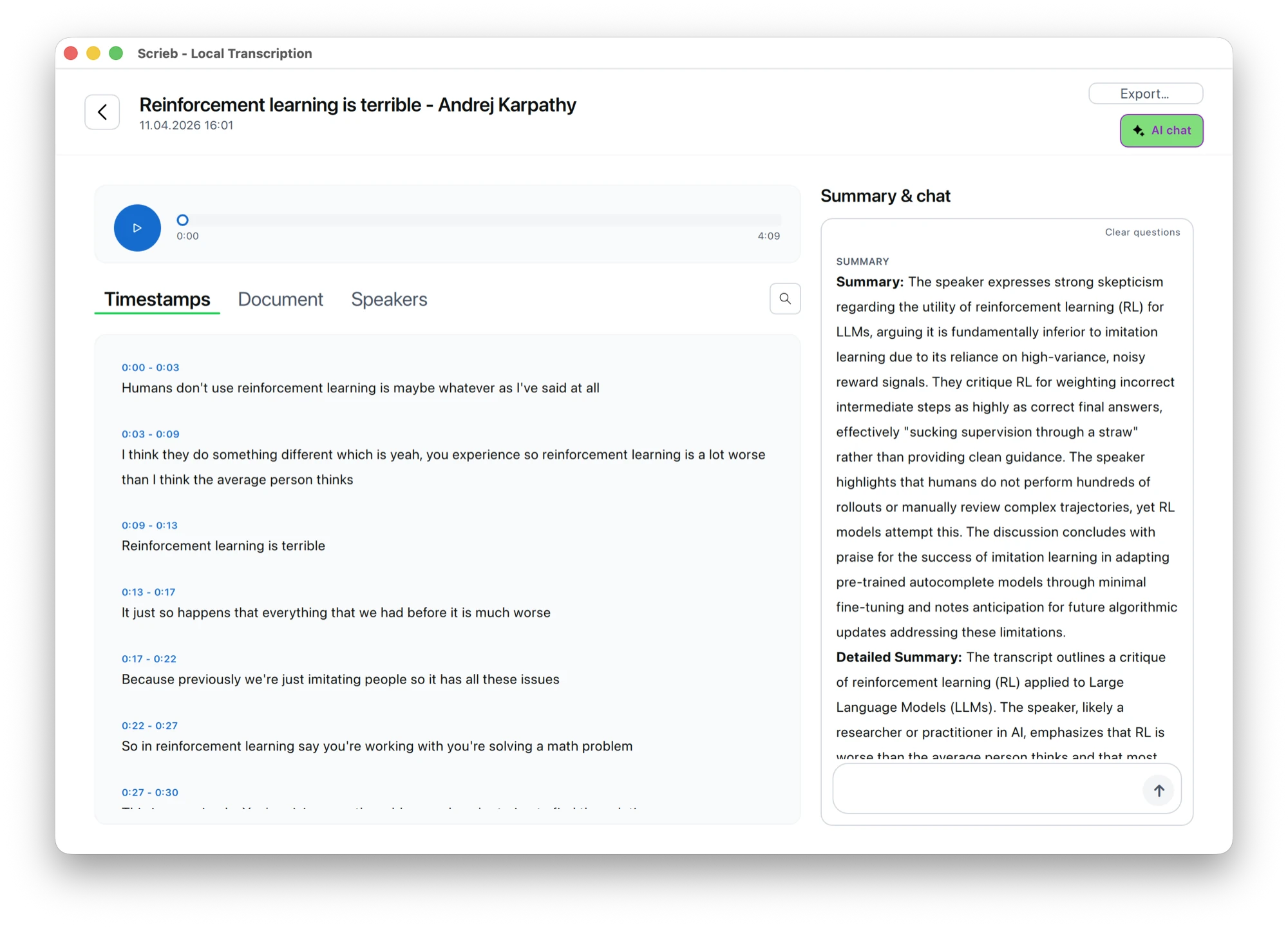
Transcription visualization

Why local

For professionals handling sensitive conversations, cloud tools create liabilities that can destroy careers and businesses.

Attorney-Client Privilege at Risk

Uploading client conversations to third-party servers can waive privilege protections. One data breach could expose confidential case strategy to opposing counsel.

Helps support HIPAA/GDPR workflows

Cloud transcription services often lack proper Business Associate Agreements. A single compliance violation can result in fines up to $50,000 per record — plus reputation damage.

Your Data Training Their AI

Most cloud tools use your transcripts to improve their models. That executive strategy session? Now it's helping train a system your competitors might use tomorrow.

How it works

Record or drop in audio. Get a secure transcript instantly. Export in your preferred format. Everything happens on your device — no internet required.

Process Locally

2. Process on Your Device

AI models optimized for laptops transcribe your audio locally. Speaker identification included. Works offline.

Export Securely

3. Export Securely

Get transcripts as TXT, DOCX, or PDF. Optional auto-delete after export for maximum security.

See Scrieb in Action

Watch how to record, transcribe, and export your first conversation in minutes.

Privacy First

Why Privacy Actually Matters

People who value their privacy have discovered something powerful: when you own your conversation data, you can analyze it however you want — with any AI tool, now or in the future — without ever exposing your raw audio to the cloud.

Your Data, Your Control

Your Data, Your Control

Share transcripts with any AI for analysis, coaching insights, or meeting reviews — without uploading sensitive audio. Keep full control of your recordings forever.

Legal & Healthcare Requirements

Legal & Healthcare Requirements

For sensitive conversations, the safest default is: keep audio local. Scrieb transcribes on-device—no audio uploads.

Unlock AI-Powered Self-Improvement

Unlock AI-Powered Self-Improvement

Transcribe therapy sessions, sales calls, pitches, or important conversations — then ask AI to reveal communication patterns and blind spots you'd never catch on your own.
Privacy illustration
256-bit
AES Encryption
0%
Cloud Upload

What you can transcribe

Six ways in. Each one stays on your computer from recording to export.

What you get, all on your computer

Everything you need for secure, accurate transcription — with none of the cloud liability.

Speaker Identification

Speaker Identification

Automatic diarization identifies different speakers in meetings and interviews.

Multiple Export Formats

Multiple Export Formats

Export as TXT, DOCX, or PDF. Perfect for legal briefs, research notes, and reports.

Optional encryption

Optional encryption

Encrypt the local database with a key stored in your OS keychain. Audio files rely on FileVault or BitLocker.

Smart Summaries

Smart Summaries

AI-powered summaries and key point extraction from long recordings.

Encrypted Storage

Encrypted Storage

All local data is encrypted at rest. Your transcripts are protected even if your device is compromised.

Multiple Formats

Multiple Formats

Works with any audio format - drag and drop files or record directly in the app.

Featured onHacker NewsPeerPush · 5.0UneedToolPilot→

Frequently Asked Questions

Will it run on my laptop?

Scrieb works on modern Windows PCs and Macs (including Apple Silicon). It's optimized for laptops with at least 8GB RAM. GPU acceleration speeds things up, but it's not required.

How secure is it really?

Your recordings, transcripts and summaries never leave your device; all processing runs on your computer. The local database can be encrypted with a key kept in your OS keychain, and audio files are protected by your disk encryption (FileVault or BitLocker). The full data flow is on the security page.

Why not just use Otter.ai or Descript?

Cloud tools upload your audio to their servers, which creates compliance risks and potentially trains their AI on your sensitive conversations. Scrieb keeps everything local — no cloud dependency, no data sharing, no model training on your content.

Is there a free version?

Yes. Scrieb is free to try with a daily recording limit, and no card is needed. Pro removes the limit and covers Mac and Windows with one licence.

Does it run on Windows?

Yes: Windows 10 (version 1903 or later) and Windows 11, x64 and ARM64, as well as macOS on Apple Silicon and Intel. See Whisper for Windows for hardware and speed.

Which AI model does it use?

OpenAI’s open-source Whisper for speech-to-text, in Small, Medium or Large v3 Turbo, selectable in Settings. Speaker identification and summaries use separate local models. Nothing is sent to a cloud model.

Can I use one licence on several devices?

Yes. Sign in with your email on each computer; the licence syncs across devices up to a device limit, and an offline licence keeps recordings working without internet.

What if it is not for me?

Email alex@scrieb.com within 14 days of purchase for a full refund. Cancelling is one email too.

Simple pricing. One licence for Mac and Windows.

Free to try, no card required. Pro from $24.99/month with no minute limits. Everything runs on your device.

Monthly

$24.99/month
  • Unlimited transcriptions
  • All export formats
  • Speaker identification
  • Smart summaries
  • Priority support

6 Months

$99.99/6 mo
Save $50
  • Unlimited transcriptions
  • All export formats
  • Speaker identification
  • Smart summaries
  • Priority support

Download Scrieb

Available for Mac and Windows. No account required to download. Your recordings stay on your device. Requirements and speeds: Windows 10 and 11, macOS on Apple Silicon and Intel.

Download for MacDownload for Windows
Offline-first
No cloud AI usage
256-bit Encryption