Common MP3 sources
🎙️
Dictaphones
Olympus, Philips, Sony — all common dictaphone formats supported. Perfect for doctors and lawyers who dictate.
🎧
Podcasts & audio downloads
Convert downloaded podcasts, webinars, or audio courses to searchable text quickly.
📱
Voice memos
iPhone and Android voice memos export as MP3 or M4A — Scrieb recognizes both instantly.
🎤
Interview recordings
Journalists and researchers transcribe interview recordings confidentially, without a cloud service.
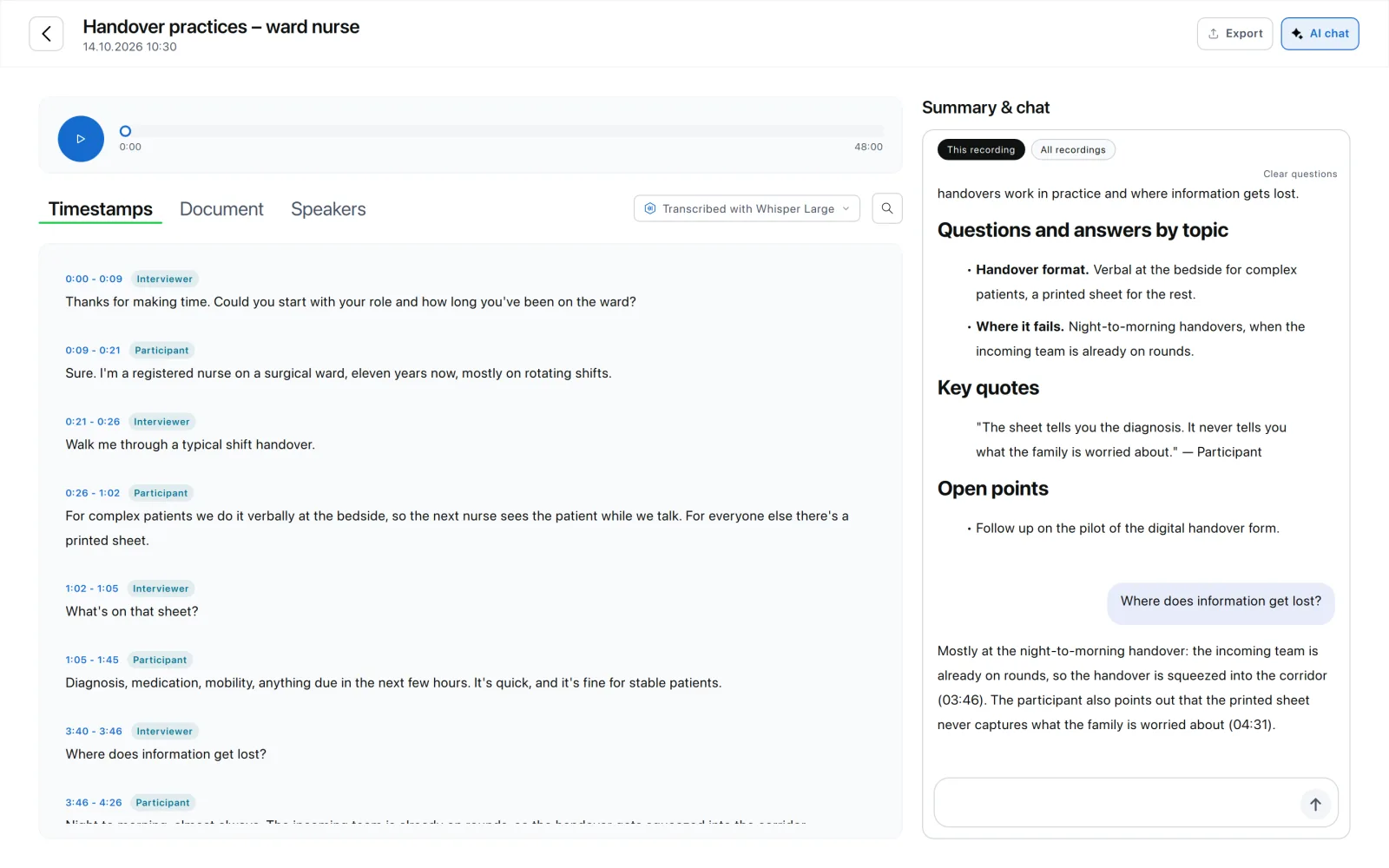
MP3 to TXT in three steps
- Drag the MP3 into Scrieb. Several files at once are processed one after another.
- Wait a few minutes. Whisper runs on your computer; silent parts are skipped, so pauses don't turn into invented text.
- Export as plain text (.txt). Or as Word, PDF or Markdown if you need formatting and speaker names in bold.
Plain text is the best format for pasting into notes, search tools or analysis software. Word is better when someone else will read the transcript.
Pricing
The free plan includes 1 hour of recording a day. Pro has no minute limits.
Frequently asked questions
- How do I transcribe an MP3 file?
- Drop the MP3 into Scrieb → local AI transcribes → export as TXT/DOCX/PDF. No account needed, and no internet after the one-time model download; the free plan covers 1 hour a day.
- Can I transcribe MP3 files for free?
- Yes, up to 1 hour of recording per day on the free plan, with speaker labels and all export formats, no card needed. Pro removes the limit, with no per-minute billing.
- Is MP3 transcription GDPR-compliant with Scrieb?
- Yes. No data leaves your device — no cloud upload, no third-party processing, no DPA required.
- What other audio formats does Scrieb support?
- WAV, M4A, FLAC, OGG, and video formats including MP4 and MOV. No pre-conversion required.
- How fast does Scrieb transcribe MP3 files?
- On a modern machine, Scrieb processes audio at roughly 3–5x speed — a 30-minute recording takes about 6–10 minutes.
- How do I convert MP3 to TXT?
- Open the MP3 in a transcription app and export the result as plain text. In Scrieb: drag the file in, let Whisper transcribe it on your computer, then choose Export → Text. The file never leaves your Mac or PC.