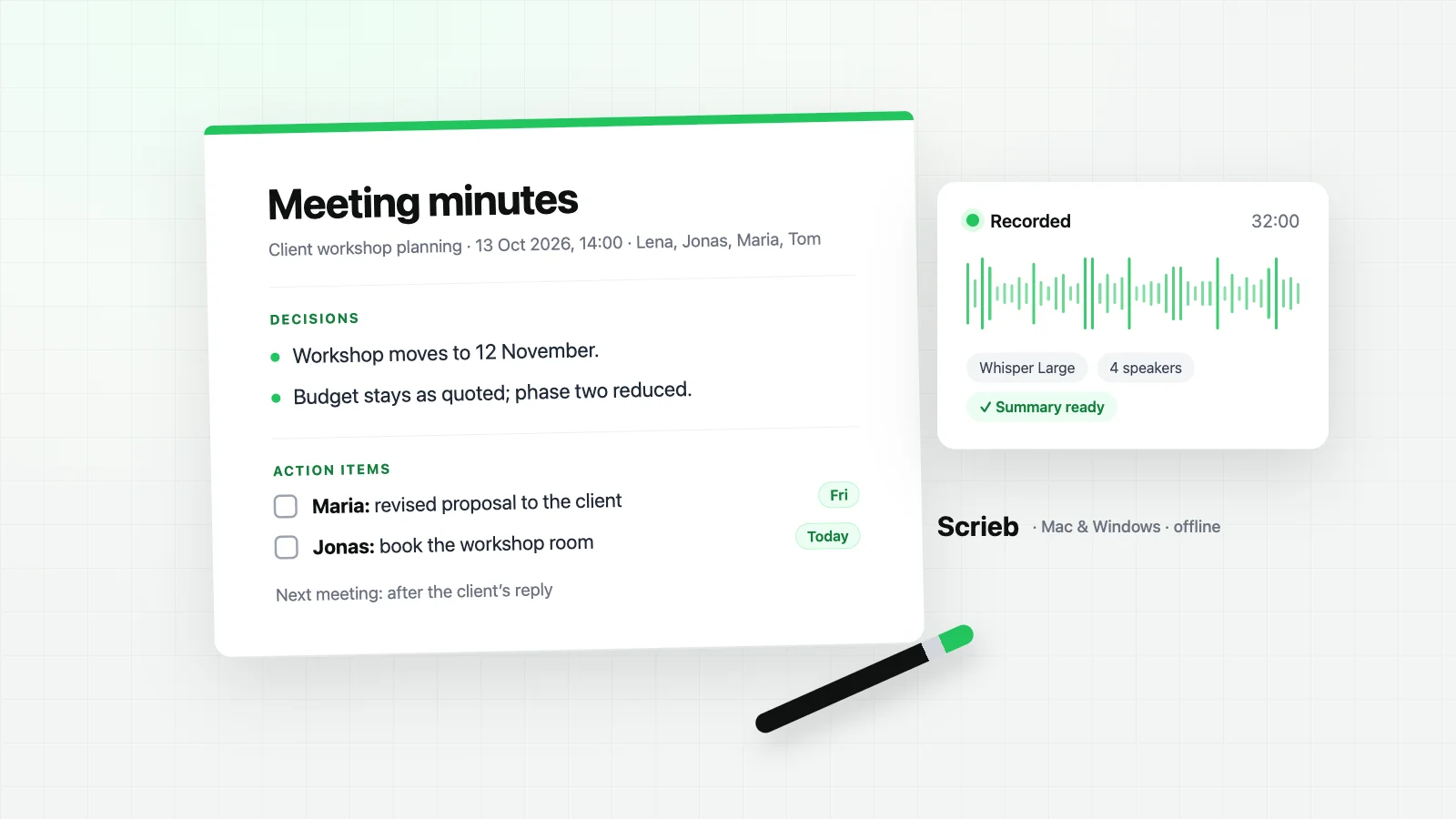
What to include in meeting minutes
- Header: meeting name, date, time, place or call link.
- People: who attended, who sent apologies, who took the minutes.
- Agenda items, in order. For each: the key points in one or two lines, the decision, and the actions.
- Action items with an owner and a due date. An action without both is a wish.
- Open questions and the next meeting date.
Leave out the back-and-forth. If someone needs to know how a decision was reached, the recording or transcript is the place for that, not the minutes.
How to write meeting minutes, step by step
1. Before the meeting
- Copy the agenda into the template, one heading per item. Half the minutes are written before anyone speaks.
- Fill in the header: name, date, place, expected attendees. Decide who takes the minutes, or that the meeting is recorded.
2. During the meeting
- Note decisions and actions as they happen, with names and dates. Skip the discussion.
- When something is unclear, ask on the spot: "So the decision is…? Who does that, and by when?"
Tip: record the meeting instead of typing. You take part properly, and the draft is written from the recording afterwards (see below).
3. After the meeting
- Complete each item while it is fresh. Check that every action has an owner and a due date.
- Keep it neutral: "The team agreed…", not "Ben finally gave in…".
- Send within 24 hours and ask for corrections by a set date.
Avoid: verbatim quotes, opinions about who said what, and actions without an owner.
Meeting minutes template
Meeting: [name]
Date and time: [date, start–end]   Place: [room / video call]
Attendees: [names]   Absent: [names]   Minutes by: [name]

1. [Agenda item]
   Key points: …
   Decision: …
   Action: [owner] – [task] – by [date]

2. [Agenda item]
   Key points: …
   Decision: …
   Action: [owner] – [task] – by [date]

Open questions: …
Next meeting: [date]
Meeting minutes example
Meeting: Client workshop planning · Date: 13 Oct 2026, 14:00–14:30 · Attendees: Lena, Jonas, Maria, Tom · Minutes: Lena
1. Workshop date
Key points: October clashes with the client's audit.
Decision: the workshop moves to 12 November.
Action: Jonas books the workshop room, today.
2. Budget
Key points: the client asked to keep the quoted price.
Decision: the budget stays as quoted; the scope of phase two is reduced.
Action: Maria sends the revised proposal to the client by Friday.
Open questions: none. Next meeting: after the client's reply.
Meeting minutes from a recording
Typing minutes while you take part in a meeting means you do neither well. Record it instead. Scrieb records the call or the room on your Mac or PC, transcribes it with Whisper, labels the speakers and writes a meeting summary with decisions and action items, all on your computer. You check the draft against the transcript and send it.
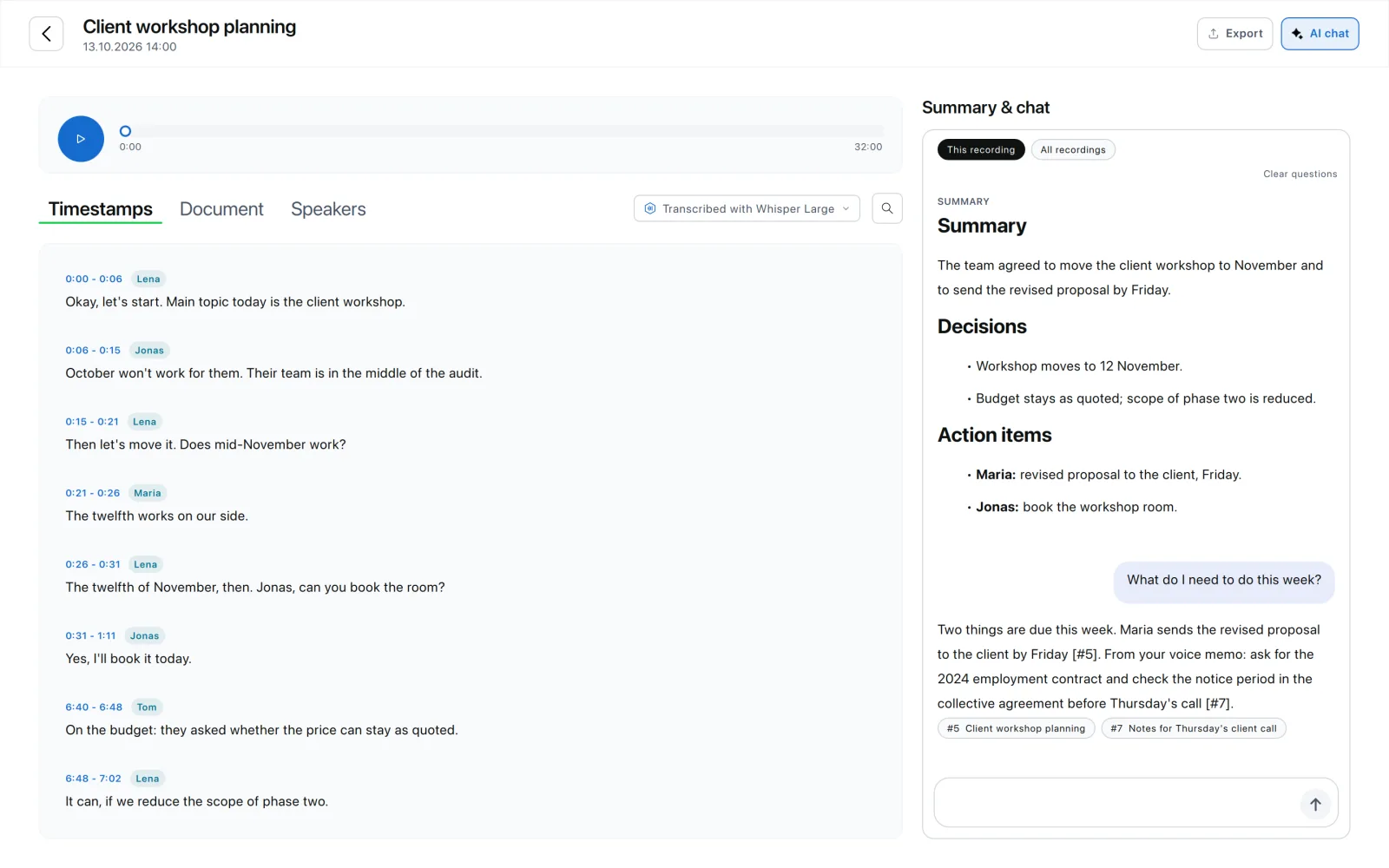
- No bot in the meeting. Scrieb records on your own computer; nothing joins the call.
- Nothing is uploaded. Transcript and summary are created on the device.
- Your format. Define your own summary type with the headings your minutes use.
- Word export keeps headings, bullet points and bold names.
Tell everyone at the start that you are recording. More on recording calls without a bot: AI meeting notes without a bot.
Minutes, notes and transcript
| Meeting minutes | Meeting notes | Transcript | |
|---|---|---|---|
| Purpose | Agreed record for everyone | Your own reminder | Everything that was said |
| Length | About one page | Any | Several pages per hour |
| Focus | Decisions and actions | Whatever you need | Word for word |
| Shared? | Yes, with all attendees | Usually not | On request |
Pricing
Free plan: 1 hour of recording per day, with summaries. Pro: no minute limits, one licence for Mac and Windows.
Frequently asked questions
- What should meeting minutes include?
- The meeting name, date, time and place; who attended and who was absent; the agenda items in order; for each item the key points, the decisions and the action items with an owner and a due date; open questions; and the date of the next meeting.
- How long should meeting minutes be?
- As short as possible. Minutes record what was decided and who does what next, not everything that was said. For a one-hour meeting, one page is usually enough. Keep the full recording or transcript separately if you need the details.
- Should minutes say who said what?
- Usually not, except for decisions, formal objections and action items, where the name matters. Formal bodies such as boards and councils may have their own rules; follow them.
- When should minutes be sent?
- Within 24 hours, while people still remember the meeting. Ask attendees to flag corrections by a set date, then treat the minutes as approved, or approve them at the start of the next meeting.
- Can AI write meeting minutes?
- It can write a good first draft. Scrieb transcribes the recording on your computer and writes a summary with decisions and action items. You check it against the transcript, add owners and dates where they are missing, and send it. Nothing is uploaded.
- What is the difference between minutes and meeting notes?
- Notes are for yourself and can be loose. Minutes are the shared, agreed record of a meeting: neutral, structured by agenda item, and focused on decisions and actions.