Who uses Scrieb?
Lawyers & Law Firms
Transcribe client meetings and depositions without sending privileged communications to third-party cloud servers.
Journalists & Researchers
Keep source interviews confidential. Audio never leaves your device, so sensitive stories stay protected.
Healthcare Professionals
HIPAA-friendly approach: no PHI uploaded anywhere. Transcribe patient notes and medical dictation locally.
Business & Consultants
Document confidential meetings and strategy calls without sharing them with SaaS transcription providers.
How it works
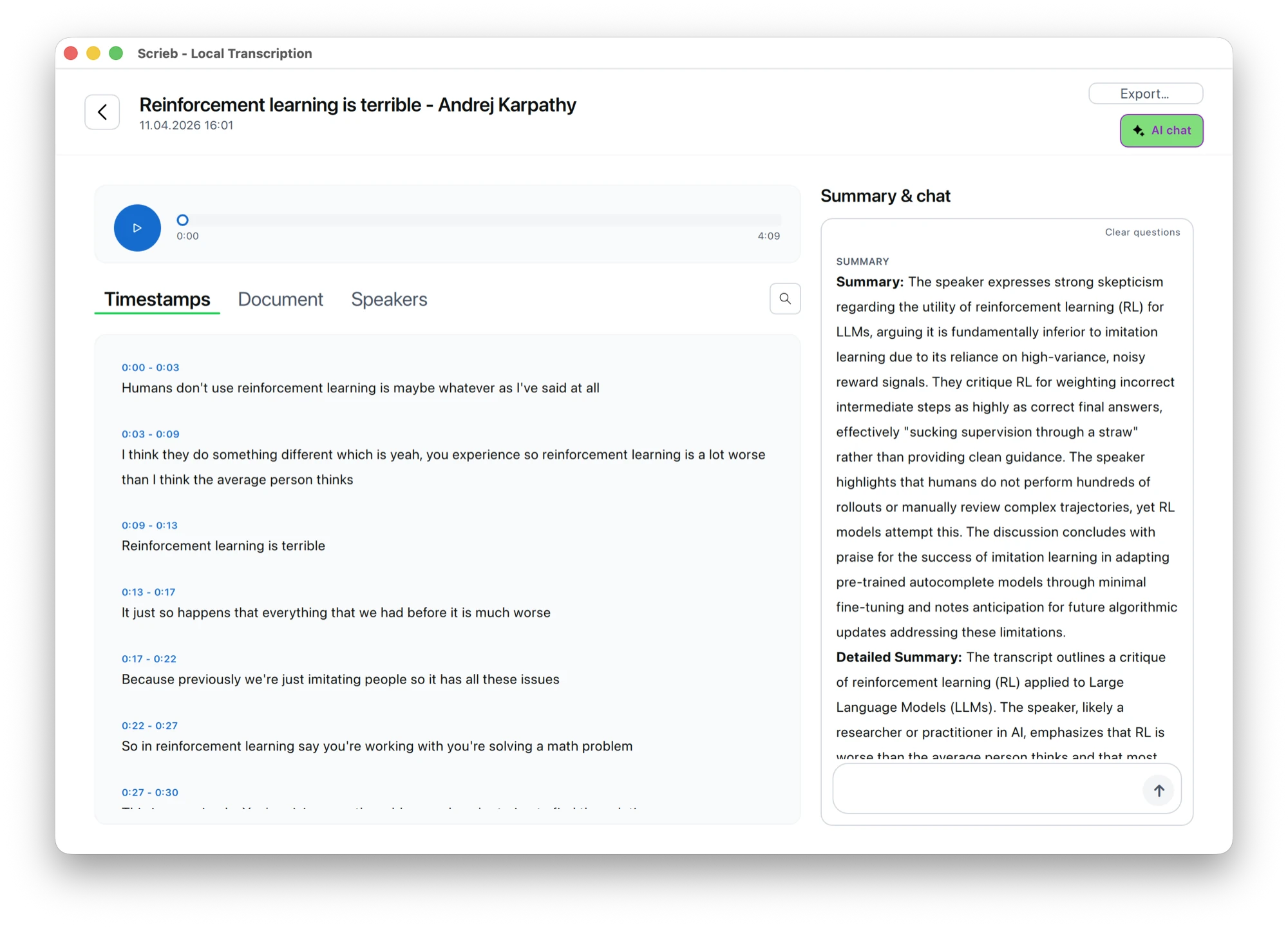
- Import your file: Drag and drop an audio or video file — MP3, WAV, M4A, MP4, MOV and more. No conversion needed.
- AI transcribes locally: Scrieb runs the Whisper model entirely on your CPU or GPU. No internet required, no upload.
- Speaker recognition: Scrieb automatically identifies different speakers and labels them throughout the transcript.
- Export: Download your finished transcript as TXT, DOCX, or PDF — ready to use immediately.
Scrieb vs. cloud transcription apps
| Feature | Scrieb | Otter.ai / Rev |
|---|---|---|
| Audio processing | On your device | Cloud servers |
| Audio leaves device | Never | Always |
| Works offline | ✓ | ✗ |
| GDPR / HIPAA-friendly | ✓ | Requires DPA |
| Speaker recognition | ✓ | ✓ |
| Minute limits | 1 h/day free, none on Pro | Yes |
| Desktop app | Mac & Windows | Limited |
Pricing
Free: 1 hour of recording a day, no card needed. Pro: no minute limits.
Transcription app or transcription software?
The same thing, sold two ways. Most "transcription apps" are web services: you upload a file and the transcription runs on the vendor's servers. Transcribing software in the older sense runs on your own computer. Scrieb is the second kind with the convenience of the first: a desktop transcription application for Mac and Windows that records or imports audio, transcribes it with Whisper, labels speakers and exports to Word, without sending anything anywhere.
Automatic transcription software used to mean poor accuracy. Since OpenAI released Whisper, local transcription is as accurate as the cloud services, because many of them run the same model. What differs is who holds the audio.
Frequently asked questions
- Is there free transcription software for Mac and Windows?
- Yes. Scrieb's free plan gives you 1 hour of recording per day with speaker labels, summaries and all export formats, on your own computer and without a card. Free open-source options such as Buzz also label speakers, but export only TXT, SRT and VTT.
- What is the best transcription app for Mac?
- Scrieb is the best offline transcription app for Mac — it processes audio locally using Whisper AI, meaning no cloud upload, no privacy risk, and no minute limits.
- Does Scrieb work on Windows?
- Yes. Scrieb runs on both Mac (Apple Silicon and Intel) and Windows 10/11. One subscription covers both platforms.
- Is Scrieb HIPAA-compliant?
- Scrieb does not upload any audio or data. Since no PHI (Protected Health Information) leaves your device, Scrieb is a HIPAA-friendly approach — there is no third-party BAA needed.
- Does the transcription app work without internet?
- Fully. After the one-time AI model download, Scrieb works completely offline — no internet, no cloud, no data transfer.
- How accurate is the transcription?
- Scrieb uses OpenAI's Whisper model, which delivers state-of-the-art accuracy for English and over 90 other languages, including specialized vocabulary for legal, medical, and business contexts.